Choose what rows and columns represent
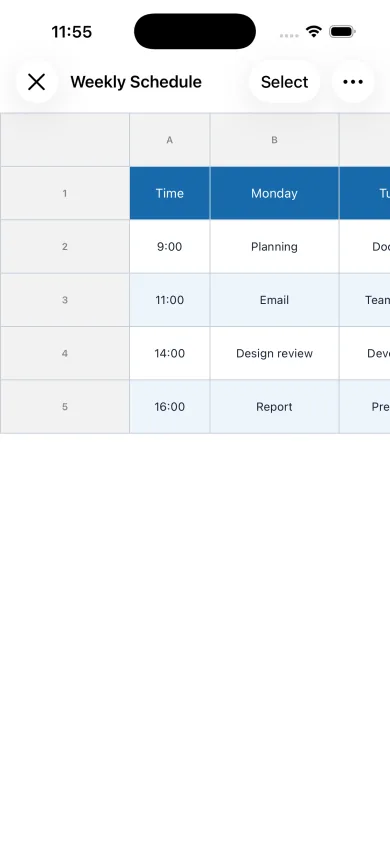
For a schedule, place weekdays in columns and time slots in rows. For a shift table, dates can be columns and team members can be rows.
Enter plans and working hours
Fill cells with tasks, names, or start and end times. Reusing the same background color for similar items makes gaps and assignments easier to spot.
Improve readability and share
Adjust column widths, alignment, and fixed rows or columns for a phone-friendly layout. Export as PDF or an image when recipients do not use the app.
Choose a layout for the purpose
A personal weekly schedule is easy to read with weekdays in columns and time slots in rows. For a team shift table, use dates as columns and names as rows so assignments can be scanned horizontally.
Give each color a consistent meaning
Use consistent colors for work, days off, and unconfirmed entries. Add labels such as Off or Tentative as well, so the meaning remains clear when printed or viewed without color.