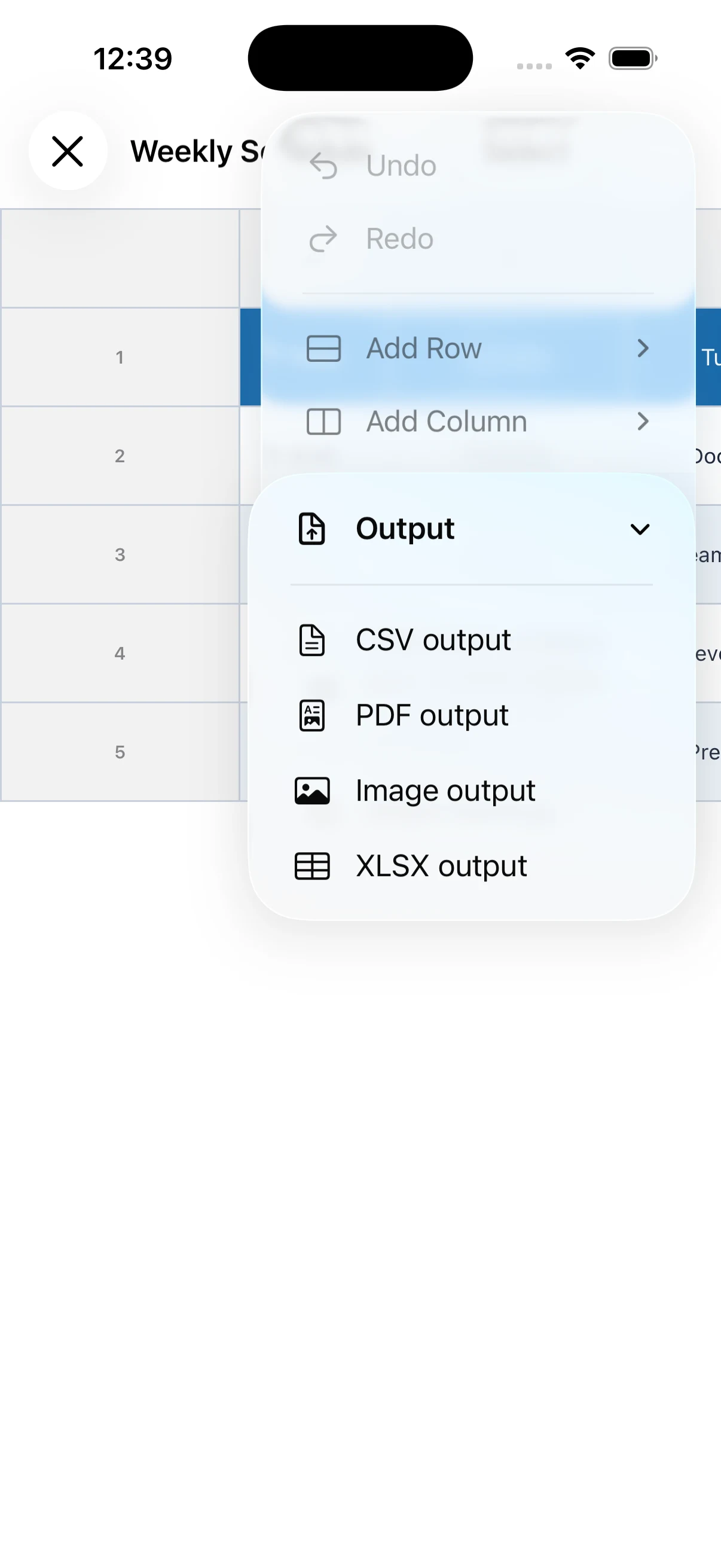
Open Output from the editor
Open the menu in the table editor and choose Output. You can select CSV, PDF, image, or XLSX depending on how the file will be used.
Choose the right format
Use CSV for data that will be edited elsewhere, PDF for printing and stable layout, and an image for quick viewing. XLSX export is a PRO feature.
Check the exported result
Before saving or sharing, check for clipped text, column widths, and page breaks. For PDF and images, confirm that the intended range is visible.
Understand the format differences
CSV transfers cell data but does not preserve detailed colors or layout. PDF is suited to printing, images to quick messaging, and XLSX to continued editing in spreadsheet software.
Check personal information before sharing
Shift tables and lists may contain names, contact details, or working hours. Review the export range and recipients, and remove or hide columns that do not need to be shared.