Select the subject before you begin
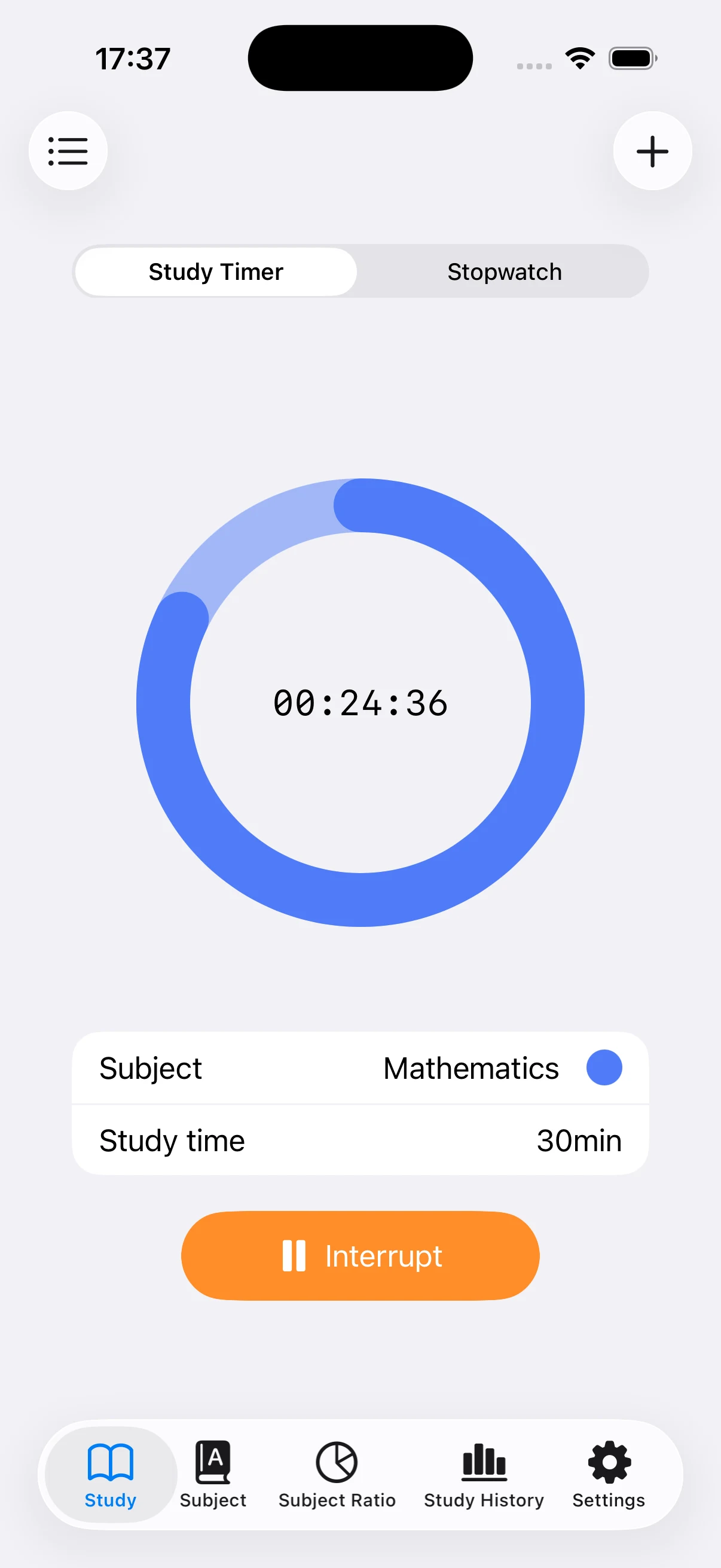
Choose the subject that should receive the session. Keeping Mathematics, English, exam preparation, and other areas separate makes the later charts meaningful. If the list is empty, add your subjects first.
Use the timer for a fixed study block
Select a duration such as 20 or 30 minutes and start the countdown. The circular display shows the remaining time clearly, which works well for practice sets, short review blocks, or any session with a planned stopping point.
Pause when your study is interrupted
If you need to step away, interrupt the session and resume when you return. Finishing the session saves the measured time under the selected subject. Allowing notifications can help you notice when a countdown reaches the end.
Use the stopwatch when there is no target time
Switch to Stopwatch for reading, mock exams, or library sessions where you want to measure the actual duration instead of setting a limit. Start when you begin and stop when you finish.
Check the saved entry
Open the history after timing and confirm the date, subject, and duration. If you selected the wrong subject or forgot to start the timer, add a manual entry using the best information you have.