What the app can edit
The app builds documents from row-based blocks. It is not a free-position desktop word processor and does not directly edit existing PDFs, export DOCX files, or provide cloud collaboration. To revise a saved PDF, reopen its source document and generate a new PDF.
Match the destination paper requirement
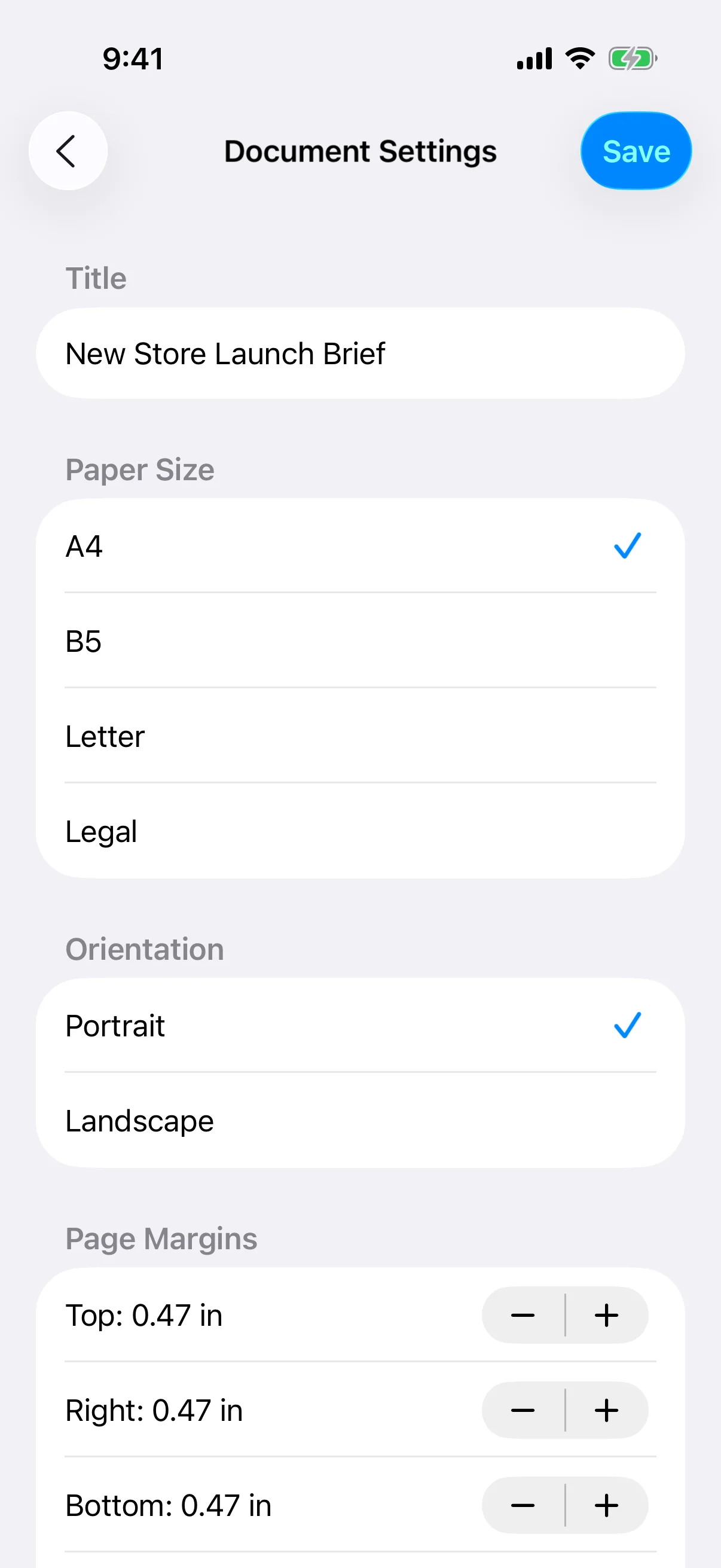
Choose A4 or B5 when they match the recipient or local printing workflow, and use Letter or Legal when those sizes are requested. Set the paper early because changing it can alter text wrapping, table width, and page count.
Choose orientation and safe margins
Portrait suits text-heavy documents, while landscape may work better for wide tables and images. Extremely small margins may exceed a printer's printable area or leave no room for binding. Follow any submission specification before optimizing the layout.
Use page breaks for meaningful sections
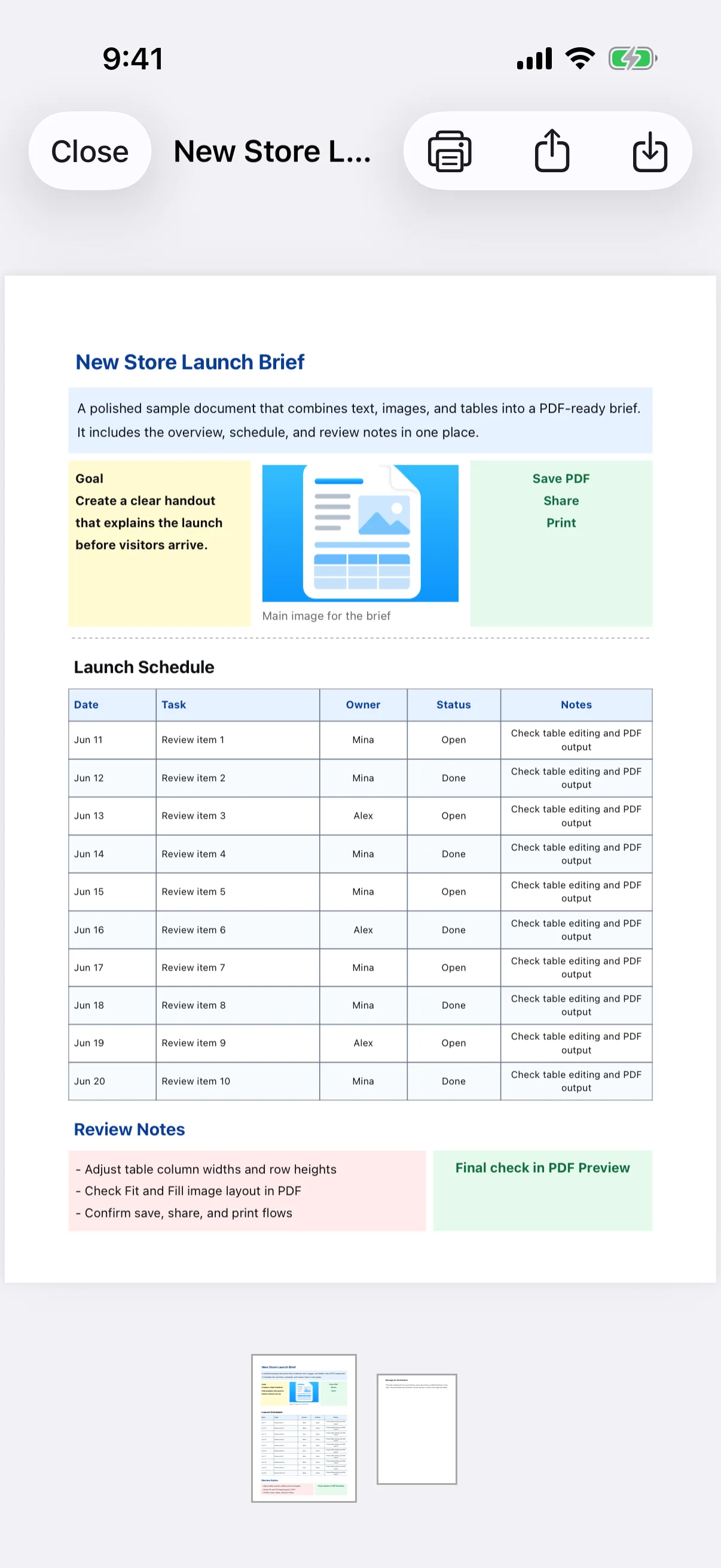
Insert a page break when a chapter or distribution section must begin on a new page. After other edits, review the result for blank pages or headings separated from their text. The PDF thumbnail strip helps confirm the overall page sequence.